This page covers how to read policy evaluation output, diagnose common problems, and fix known issues. If you’re setting up your first policy, see the getting started guide first.
Understanding evaluation output
Every time a policy is evaluated, Octopus records the result in three places. Use these to confirm a policy is working as expected, or to diagnose why a deployment or runbook run was blocked or flagged.
Task log
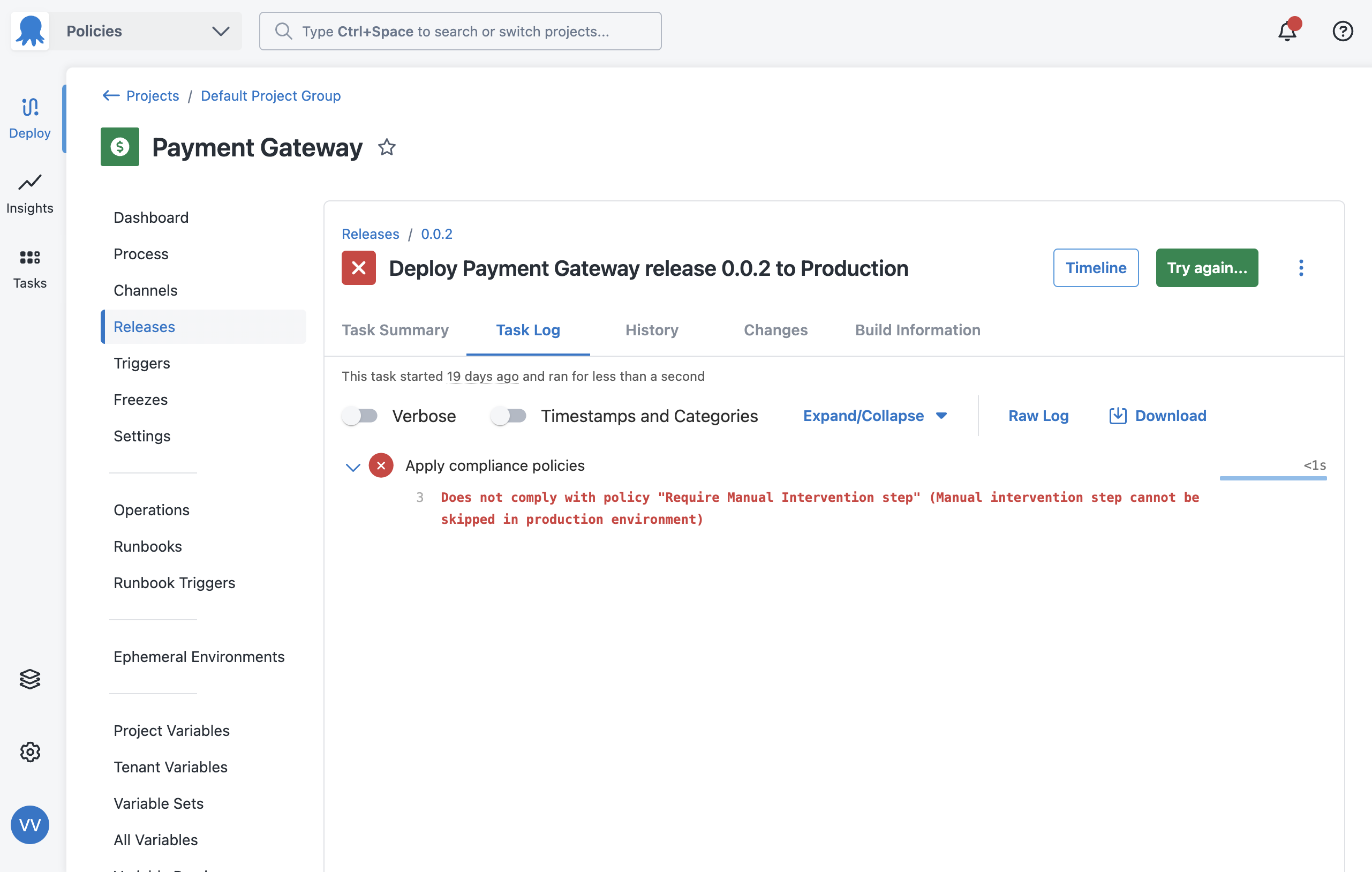
The task log for every deployment or runbook run shows the result of each policy evaluation, including whether it passed or failed and the violation reason if it failed.
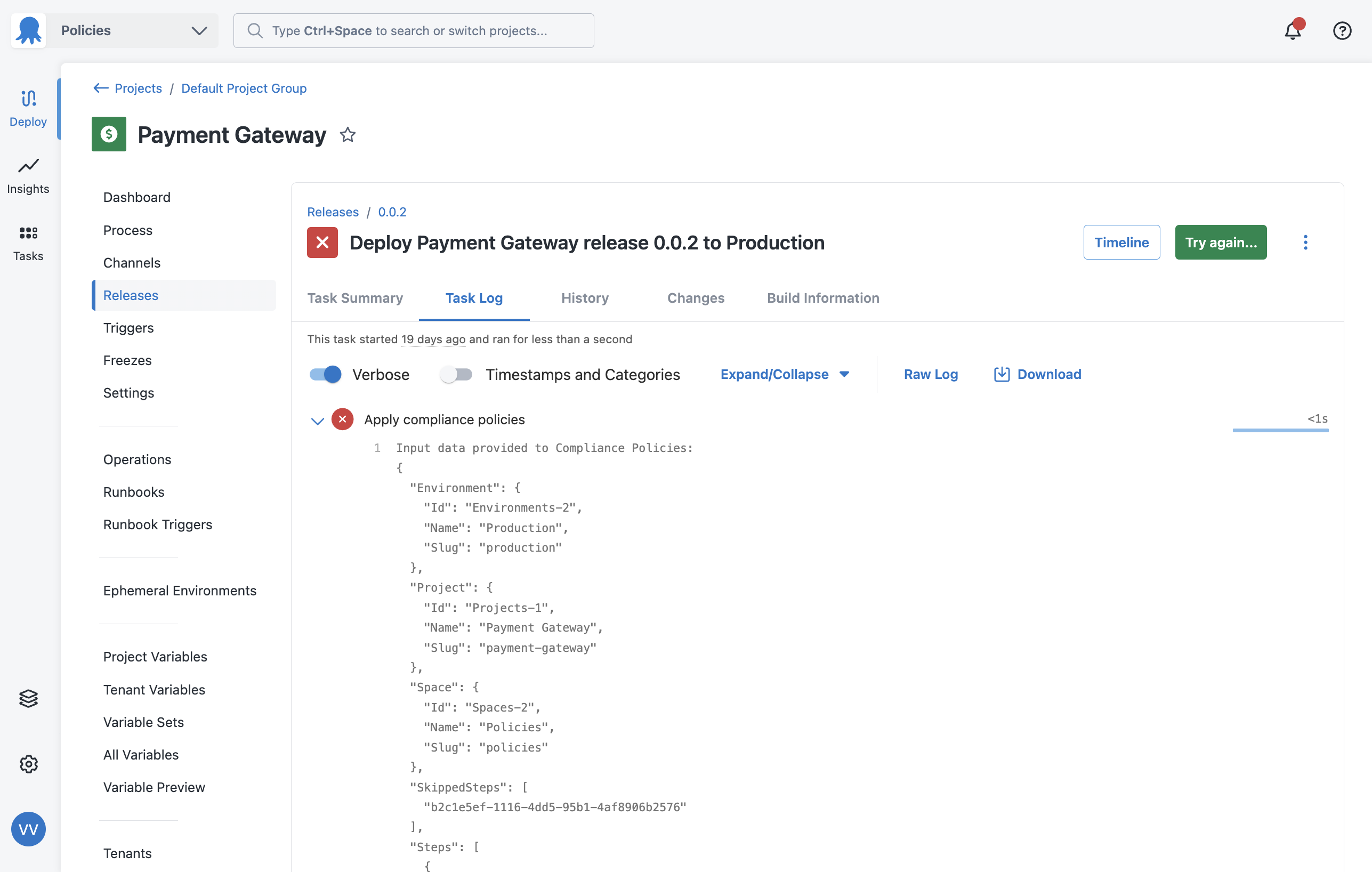
To see the full input object that was passed to the policy engine, turn on the verbose option in the task log. This shows you the exact data your Rego conditions evaluated against, which is useful when a policy isn’t behaving as expected.
Project dashboard
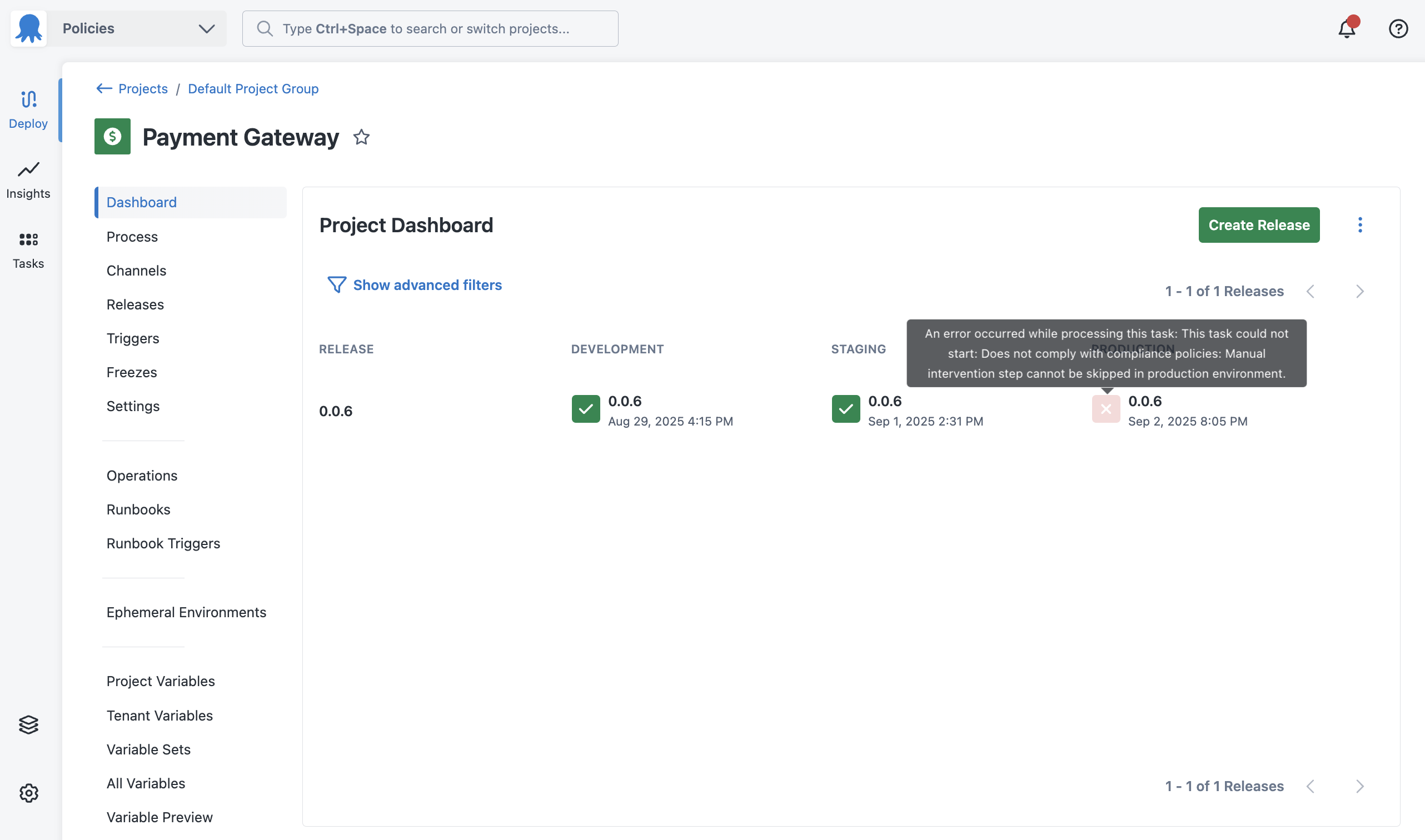
Policy violations appear on the project dashboard so teams can see at a glance whether a recent deployment or runbook run was flagged.
Audit log
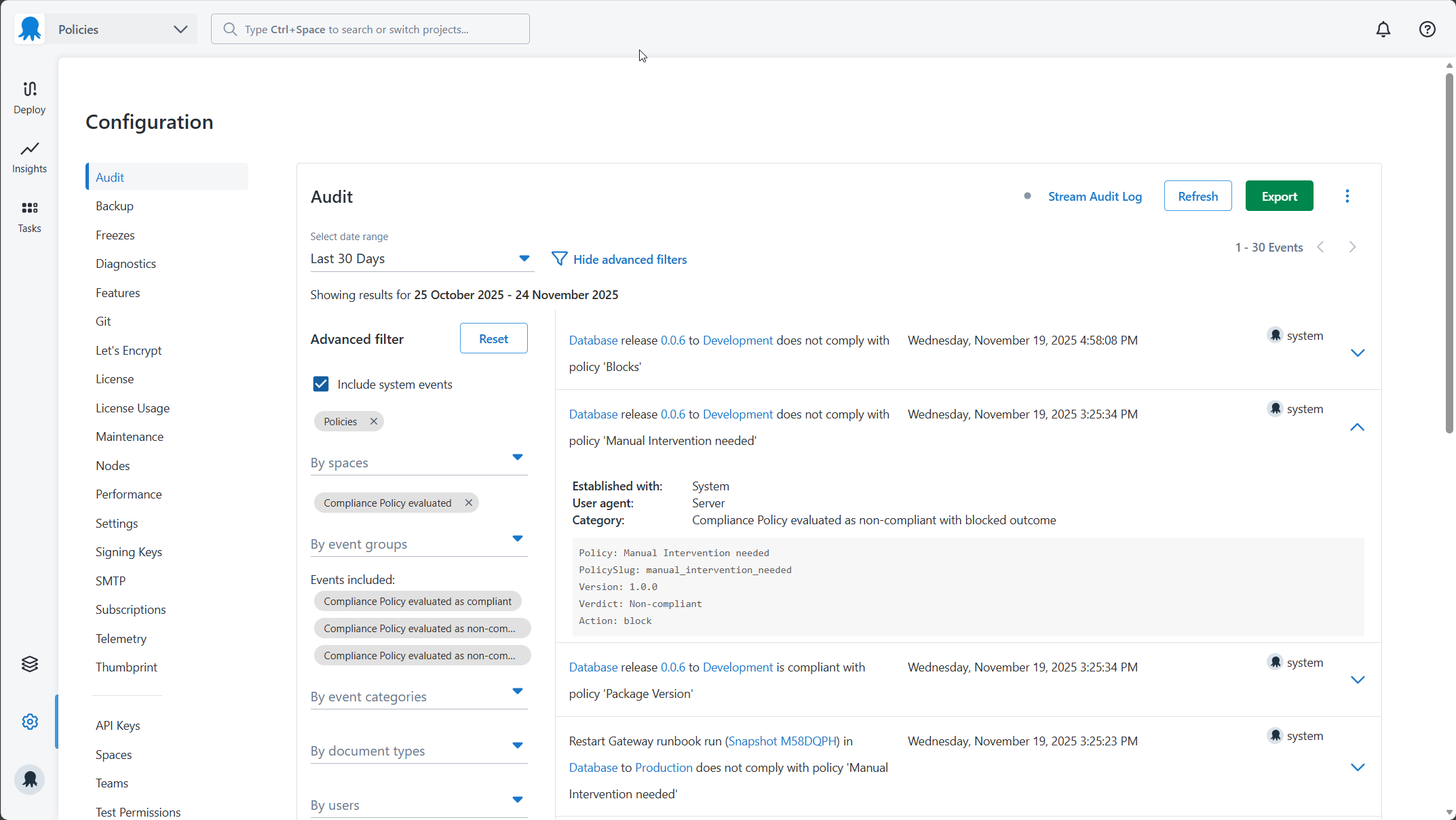
All policy evaluations are recorded in the audit log, including evaluations that passed. To view them, go to Configuration > Audit and filter by the Compliance Policy Evaluated event group.
Audit log entries only appear for executions that fall in the policy’s scope. If an execution isn’t appearing in the audit log, check that the scope Rego is evaluating correctly for that execution.
Common problems
Policy is not evaluating
If a policy isn’t appearing in the task log or audit log for an execution you expect it to cover, work through the following checks.
-
Check the policy is activated. A published policy must be activated before Octopus evaluates it. Go to the Versions tab on the edit policy page and confirm the policy is active.
-
Check the scope Rego. The scope determines which executions the policy evaluates. Open the policy editor and review your scope Rego. Use the verbose task log on a deployment you expect to be in scope to see what input fields were passed, and check whether your scope conditions would match.
Policy is blocking when it should warn
If a policy is blocking deployments or runbook runs when you expect it to only warn, check the following.
-
Check the default result. If your conditions Rego sets
default result := {"allowed": false}without anactionproperty, Octopus uses the violation action set on the policy itself. If that’s set toblock, all failures will block. Add"action": "warn"to your default result while testing.default result := {"allowed": false, "action": "warn"} -
Check the policy violation action. The violation action on the policy UI sets the default behaviour for all failures. Go to the edit policy page and confirm it’s set to Warn if you want warnings by default.
Policy is not catching skipped steps
If a policy intended to catch skipped steps isn’t working, the conditions are likely only checking for step existence and not checking the SkippedSteps field.
A step that’s been skipped still appears in input.Steps, but its ID is also added to input.SkippedSteps. Your conditions need to check both:
result := {"allowed": true} if {
    some step in input.Steps
    step.Source.SlugOrId == "<step-slug>"
    not step.Id in input.SkippedSteps
    step.Enabled == true
}
See Check for both existence and skipping in the best practices guide.
Policy causes an evaluation error on runbook runs
If a policy works correctly for deployments but causes an error on runbook runs, it’s likely referencing input.Release without guarding against its absence. Release is only present for deployments.
Add a scope to limit the policy to deployments only:
default evaluate := false

evaluate if {
    not input.Runbook
}
Or, if the policy must evaluate both, check for the field’s existence before referencing it:
result := {"allowed": true} if {
    input.Release
    input.Release.GitRef == "refs/heads/main"
}
The same applies to input.Runbook on deployments, and input.Tenant on non-tenanted deployments.
See Guard against conditional fields in the best practices guide.
Policy evaluates the wrong executions
If a policy is evaluating executions it shouldn’t, or not evaluating ones it should, the scope Rego is likely not matching as expected.
Turn on verbose logging in the task log for an affected execution. This shows the full input object, including the exact values for Environment.Slug, Project.Slug, Space.Slug, and other fields your scope may be checking. Compare these against your scope Rego to identify the mismatch.
Common causes:
- Matching on
Nameinstead ofSlug. Names can change; slugs are stable. PreferSlugfor matching. - Case sensitivity. Rego string comparisons are case-sensitive.
"Production"and"production"are not the same value. - Missing a guard for
input.Runbookorinput.Tenantwhen the scope assumes those fields are always present.
Known issues
Windows Server missing Visual C++ dependency
If you see the error “The Compliance Policy engine failed to load. There may be missing dependencies on the machine hosting Octopus Server” when trying to load or create a policy, your Windows Server host is missing the Visual C++ Redistributable.

To fix this, install the latest Visual C++ Redistributable for your machine. See Latest supported Visual C++ Redistributable downloads on the Microsoft documentation site.
Help us continuously improve
Please let us know if you have any feedback about this page.
Page updated on Tuesday, November 25, 2025